We’re pleased to announce the release of Gravity Flow 3.1. This update continues the quality-of-life work we started in 3.0, with two headline features that make workflow management faster and less repetitive.
Introducing Gravity Flow 3.1
3.1 is a smaller, more focused release, but it tackles two of the most repetitive jobs in Flow: setting up branching logic, and moving entries around once a workflow is live.
New Choice Routing step
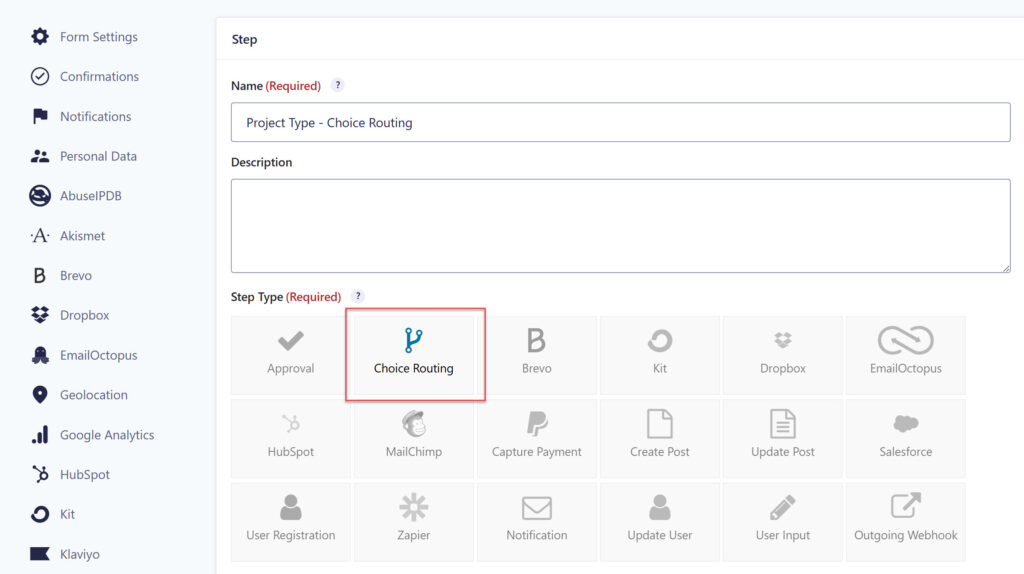
With the new Choice Routing step, you can now send entries to different steps based on the choice a submitter selects in a dropdown or radio field. When an entry reaches the step, Flow checks the choice and sends it to the matching route automatically.
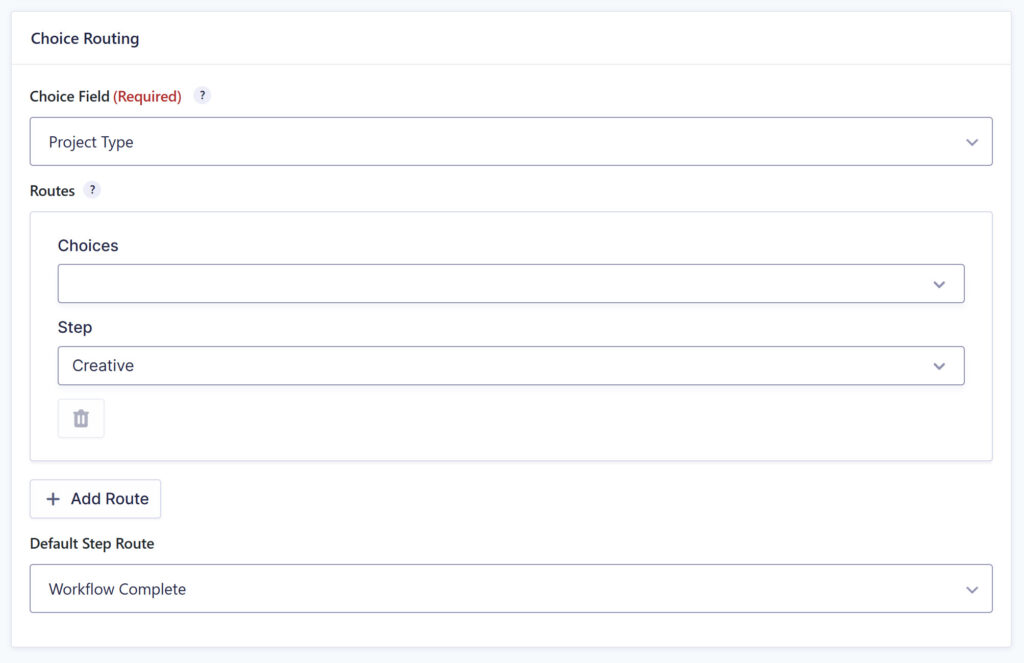
You can create as many routes as you need, and each route can send one choice or several to the same step. Each choice can only belong to one route, so your routing stays easy to maintain as the form evolves.
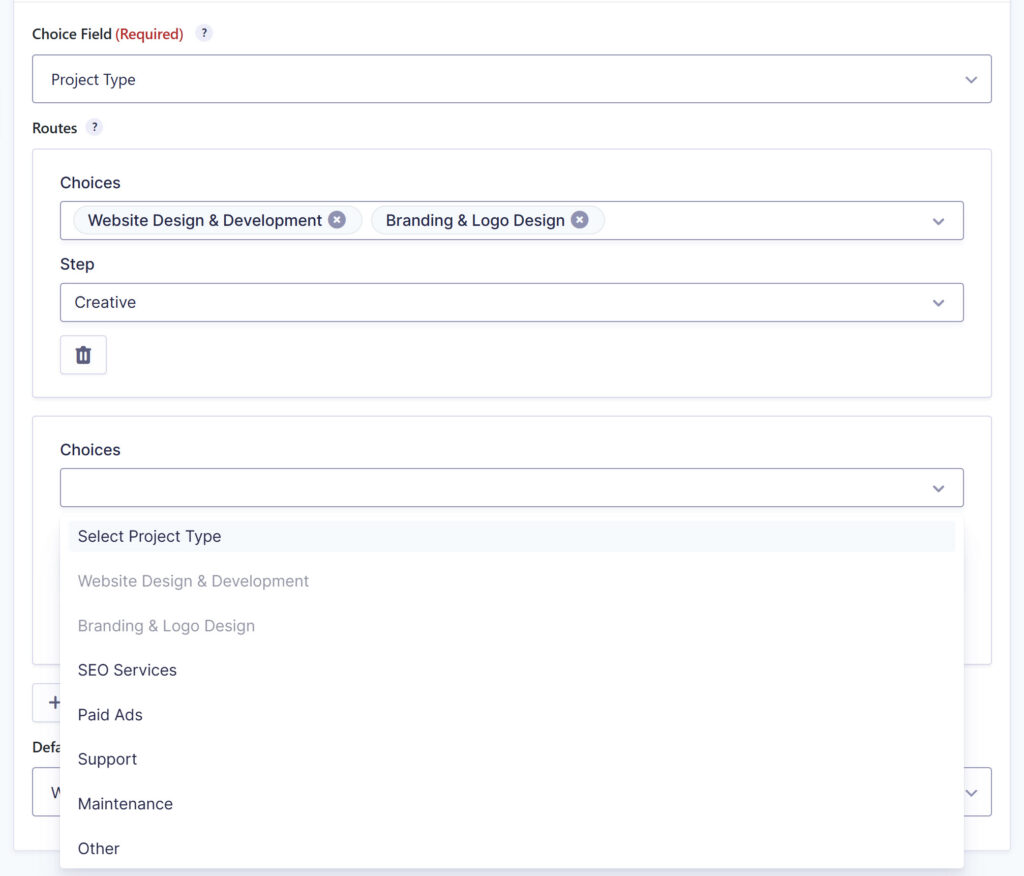
A Default Step Route catches any entry with a choice that doesn’t match, and every routing decision is logged in the entry’s timeline.
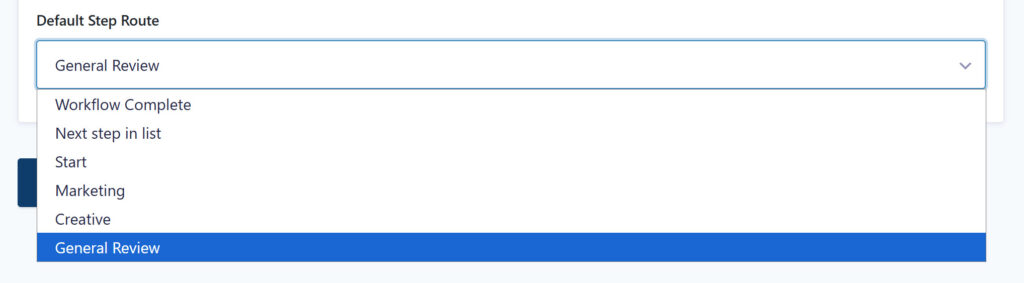
Previously, this kind of branching meant building and maintaining a lot of conditional logic. Choice Routing replaces those workarounds with a single step.
Send to Step bulk action
The Workflow Status page now includes a Send to Step bulk action. Select multiple entries, choose a step, and Flow moves them all in one go.
It’s ideal for clearing a batch of entries stuck on an approval that’s already been handled elsewhere, or pushing a group of submissions back to a User Input step.
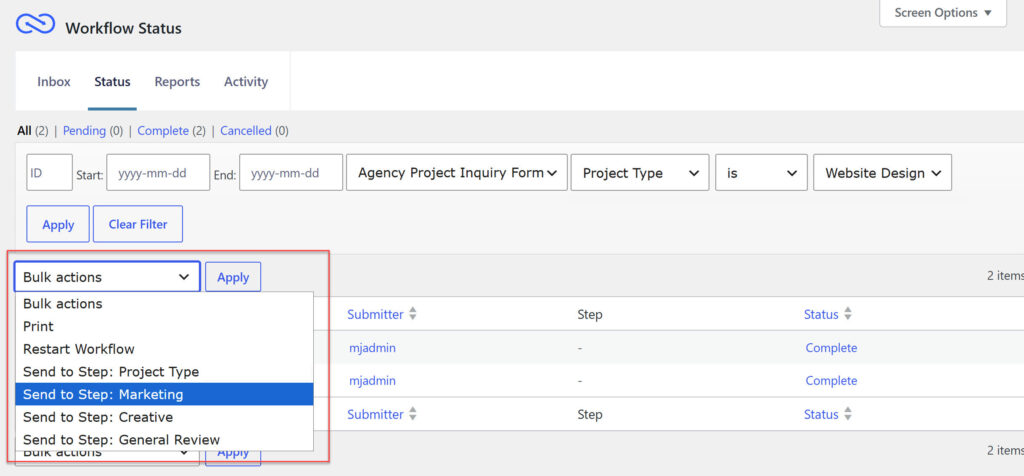
Since every form has its own set of steps, the action is available when the Status screen is filtered to a single form.
The same action is available in the Gravity Flow Status block, so you can manage entries from the front end too.
More in 3.1
This release also includes:
- Support for the Background Notifications feature introduced in Gravity Forms 2.10
- Workflow Blocks updated to the WordPress Block API v3
- GravityView integration improvements, with thanks to the team at GravityKit
- Compatibility fixes for the Gravity Forms 3.0 beta
Further Flow 3.1 resources
For more information on Gravity Flow 3.1, check out these resources:
Any questions on the new features or how to update the plugin? Feel free to contact our friendly and knowledgeable Support team.
Update to Gravity Flow 3.1 today!
Gravity Flow 3.1 is available now to all customers with an active license.
If you have automatic updates enabled, you’re all set. If not, open your WordPress dashboard, head to your plugins page, and click to update to version 3.1. You can also download the latest version from within your Gravity Flow account.
New to Flow? Explore pricing or sign up for a free, personalized demo to see why Gravity Flow is trusted by businesses worldwide.
